“I can see… using lights!”


Quick Facts
| Type of project: |
| Solo, Coursework |
| Date Produced: |
| late 2020 |
| programs used: |
| C++ SQL2 (Windows API) |
Video
Key features
- Ray-tracing is the simulation of how light interacts with objects and materials within the scene.
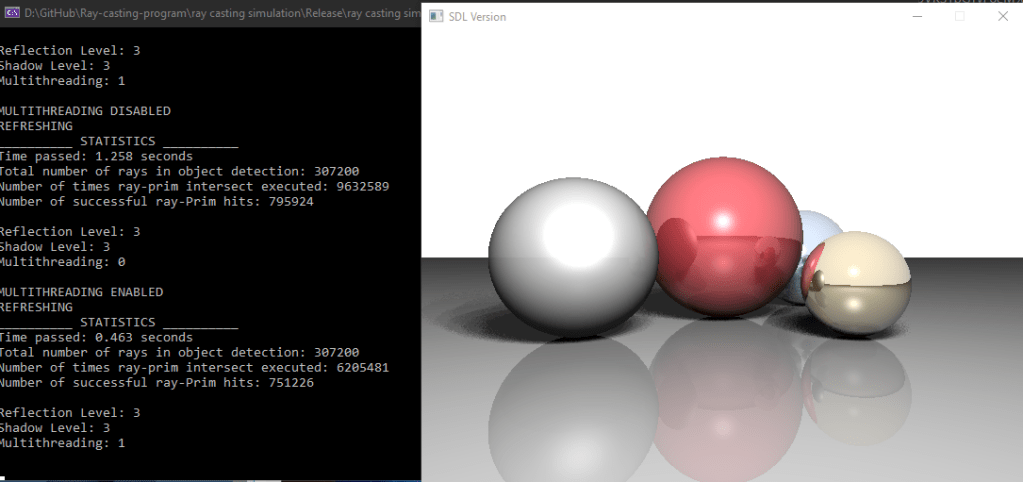
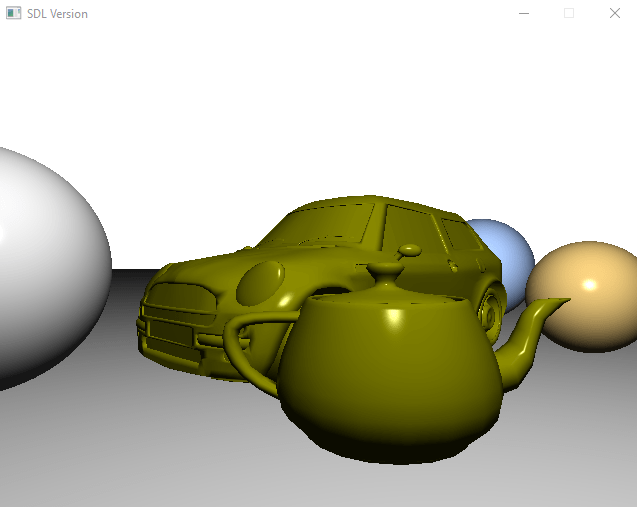
- This program is able to simulate multiple, unique models with various levels of Shadows and reflections.
- The program also has optimisation features which include multiple-depth octrees and multi-threading.
- Finally, the program makes use of the Windows API to create an interactive controls, meaning that the user can change how the scene looks.
the full story
As part of a module, I was tasked with making a ray-tracing program with multiple features. This also means that a report has to be constructed about the various features. Another task is to implement optimisation structures to speed up the process of rendering the scene.
With the addition of each feature to further improve the quality of the picture, the time it takes to render a scene would dramatically increase. This is especially true for rendering soft shadows with multiple light rays. One solution to reduce this, as well as reducing the many tests needed to see if light will interact with an object is octrees. An octree is a 3D structure that organises objects into small groups or “bins”. With each intersection test, if the ray does not hit that bin itself, then its impossible that the ray will hit the objects in the bin. This therefore reduces the number of objects that need to be tested. However, there is a point where having more bins than objects causes the time to render to increase again.
The program when submitted allowed the user to do many things. They can move the camera in all directions, increase/decrease the reflections and shadows rate and even change to any of the three scenes to show the effect of the optimisation techniques. The simplest image (just spheres with no shadows and no reflections) is able to be rendered at around 30 fps. The most complex scene (object with 36,000 triangles with reflections only) takes around 0.1-0.3 seconds each frame instead of 40 seconds.
Testimonial
“Overall, student has done a very impressive work on this coursework. I am really enjoying playing with it. The performance is excellent. Moving camera is smooth and without delay or lagging.”
Lecturer at Coventry University
additional resources
Repository link to “Raytracer Application” in Github